The October 2026 PHP security emergency disrupted websites worldwide. Learn why some sites went offline, how AI was involved, and what small businesses can do to prepare.
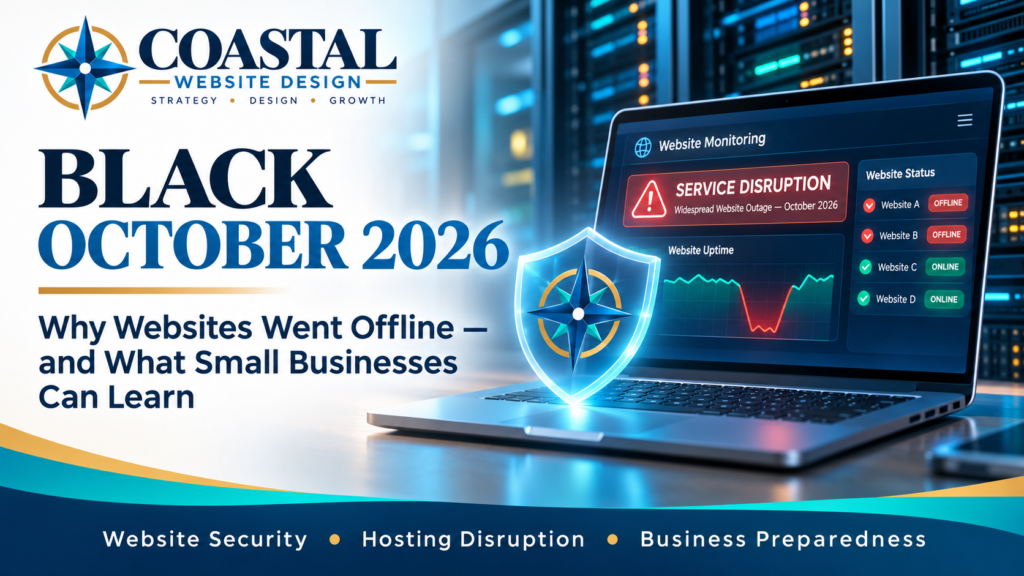
In October 2026, an unusual cybersecurity emergency disrupted websites around the world. Businesses, government organizations, and hosting providers scrambled to respond to serious vulnerabilities in software that powers a substantial portion of the internet.
Some websites became unavailable for hours. Others remained operational while their hosting providers deployed emergency protections and updates.
For business owners, the experience raised an unsettling question:
How can a perfectly legitimate business website suddenly become unavailable when nothing appears to be wrong with the website itself?
The answer involves a widely used technology called PHP, an emerging role for artificial intelligence in cybersecurity, and some difficult decisions made by hosting providers attempting to protect their customers.
The events became part of what some in the cybersecurity industry called Black October.
But beyond the dramatic headlines, there are practical lessons for anyone who depends on a website to operate a business.
What Happened in October 2026?
On October 20, the PHP development team issued an advance warning about two critical security vulnerabilities. Emergency updates were released the following day, October 21.
The vulnerabilities, collectively called PHP2Shell, were identified as CVE-2026-109618 and CVE-2026-109619.
Those technical identifiers aren’t especially important to most business owners. What matters is what the vulnerabilities could allow an attacker to do.
Under certain conditions, an attacker could potentially execute unauthorized instructions on an affected web server without first logging in.
That could expose sensitive information, disrupt operations, or compromise the server.
The vulnerabilities were particularly concerning because they existed within PHP itself—not merely within an individual website, theme, or plugin.
Why PHP Matters to Your Website
PHP is a programming language used by WordPress and many other website platforms.
When someone visits a WordPress website, PHP helps process the request and generate the page the visitor sees.
That means a security weakness in PHP can potentially affect many websites, even when those websites have properly maintained WordPress installations.
In this situation, simply updating WordPress or its plugins was not enough to eliminate the underlying vulnerabilities. The affected PHP software also needed to be patched.
For many small businesses using managed or shared hosting, those server-level updates are handled by the hosting provider rather than the website owner.
Why Did So Many Websites Go Offline?
Here’s where the story becomes particularly interesting.
Not every website that went offline was hacked.
In some cases, websites were deliberately taken offline as a precaution while security teams assessed the threat, implemented temporary protections, and installed the necessary updates.
Consider the choices facing a hosting provider responsible for hundreds or thousands of websites.
If a serious vulnerability becomes publicly known before every server can be secured, continuing normal operations may expose customers to unacceptable risks.
Temporarily restricting access can sometimes be the more responsible decision, even though it creates an immediate inconvenience.
Other providers were able to maintain service while applying security rules and deploying updates.
Different hosting environments, security systems, and operational procedures contributed to different responses.
How Widespread Was the Disruption?
Website monitoring company UptimeRobot recorded approximately 11 times its normal volume of downtime alerts at the peak of the October 21 emergency.
Its monitoring data also showed that elevated failure rates continued into October 22.
Those figures don’t mean that 11 times as many websites were hacked. They reflect a dramatic increase in website availability problems, including sites that were intentionally taken offline.
That’s an important distinction.
A website being unavailable during a cybersecurity emergency does not automatically mean that it has been compromised.
In some cases, the disruption may be evidence that protective measures are being taken.
Of course, downtime still has consequences. A business may miss inquiries, online orders, appointment requests, or other opportunities while its website is inaccessible.
The security decision may be justified, but the business impact remains real.
What Role Did Artificial Intelligence Play?
Artificial intelligence was an important part of the PHP2Shell story, but not necessarily in the way alarming headlines might suggest.
Security researchers from multiple organizations used AI-assisted tools to help discover, analyze, and demonstrate the vulnerabilities.
Some of the underlying software weaknesses had existed for years. AI helped researchers investigate complex behavior and develop working demonstrations more quickly than traditional methods might have allowed.
That is the encouraging side of the story.
AI can help security professionals identify problems and coordinate fixes before vulnerabilities cause widespread damage.
But the same capabilities introduce new concerns.
Tools that help researchers discover security weaknesses may also make it easier for attackers to investigate vulnerabilities and develop methods of exploiting them.
In other words, artificial intelligence can accelerate both cybersecurity defense and cyberattacks.
This doesn’t mean AI caused the October vulnerabilities. The weaknesses were already present in the software.
AI changed how quickly and effectively researchers could investigate them.
For website owners, the lesson isn’t to fear artificial intelligence. It’s to recognize that security threats and the tools used to address them are evolving rapidly.
We Experienced the Disruption During Coastal’s Development
At Coastal Website Design, this incident was more than a news story.
We were actively working on website development when hosting disruptions interrupted our progress during the same period.
It was a firsthand reminder that even a carefully designed and maintained website depends on systems beyond the website itself.
A website can have excellent content, a professional design, secure forms, and properly maintained plugins—and still become unavailable because of a problem affecting the underlying hosting infrastructure.
That doesn’t necessarily mean the hosting provider has failed.
In a genuine security emergency, temporarily interrupting service may be preferable to leaving customers exposed.
But it does highlight an important consideration when choosing website hosting and maintenance arrangements:
A website isn’t just a collection of pages. It’s an ongoing service that depends on security, infrastructure, updates, monitoring, and recovery procedures.
Those responsibilities deserve attention before something goes wrong.
Five Things Small-Business Owners Should Learn From Black October
Most business owners don’t need to become cybersecurity specialists.
But there are several practical questions worth asking whoever manages their website.
1. Know Who Is Responsible for Security Updates
Website maintenance involves more than updating content or installing the latest WordPress plugin.
The underlying PHP software, web server, and hosting environment also require attention.
Ask your hosting provider or website developer who handles those updates and how critical security releases are addressed.
If your website uses PHP, confirm that the appropriate October 2026 security updates were applied.
2. Make Sure Your Website Has Reliable Backups
A backup is valuable only if it includes the information needed to restore your website.
For WordPress, that generally means both the website files and the database.
Find out how frequently backups are created, how long they’re retained, and whether an independent copy is available outside the hosting environment.
Just as importantly, determine whether those backups can actually be restored.
A backup that has never been tested provides less assurance than one backed by a known recovery procedure.
3. Understand How You’ll Learn About an Outage
Would you know if your website stopped working overnight?
Some businesses don’t discover outages until a customer complains.
Website uptime monitoring can provide alerts when a site becomes unreachable, helping you investigate sooner.
Monitoring doesn’t prevent every outage, but it can reduce the time between a problem occurring and someone becoming aware of it.
4. Ask Your Hosting Provider About Emergency Procedures
Different hosting services offer different levels of management, security, monitoring, and customer communication.
It is reasonable to ask how your provider handles a critical security incident.
Do customers receive timely notifications? Are emergency updates managed automatically? Is there a public service-status page? What happens if a website must be temporarily disabled?
You don’t necessarily need the most expensive hosting plan.
You need an arrangement that reasonably supports your website’s importance to your business.
5. Have a Basic Plan for Temporary Downtime
Even reliable hosting providers can experience service interruptions.
Consider how customers would reach your business if your website were unavailable for several hours.
Make sure important contact information is accurate on your Google Business Profile and other established business channels.
If your website handles orders, appointment requests, or important customer inquiries, consider what temporary alternatives might be appropriate.
You don’t need an elaborate disaster recovery department.
You simply need to think through what happens when an important business tool isn’t available.
Does Better Security Always Mean More Expensive Hosting?
Not necessarily.
An expensive hosting plan isn’t automatically more secure, just as a lower-cost plan isn’t automatically inadequate.
What matters is the service being provided.
A small brochure-style business website may have very different requirements from an online store processing transactions throughout the day.
The right hosting and maintenance arrangement should reflect the website’s functionality, business importance, acceptable downtime, and available budget.
Premium security services and monitoring tools can provide meaningful benefits. But they should be selected because they address an actual need—not because a cybersecurity headline makes every additional subscription sound essential.
An honest assessment is more valuable than an expensive collection of tools that nobody properly maintains.
The Bigger Lesson: Website Security Is an Ongoing Responsibility
Black October demonstrated how quickly a serious vulnerability in widely used software can affect websites far beyond a single company or hosting provider.
It also demonstrated the value of coordinated security research, timely software updates, and hosting providers prepared to respond when problems arise.
Perhaps most importantly, it reinforced a reality that small-business owners sometimes overlook:
A website isn’t finished simply because it has been launched.
Keeping it useful requires continued attention to software maintenance, security, backups, performance, and availability.
That doesn’t mean every business needs a complicated maintenance contract or an expensive hosting upgrade.
It means website ownership includes responsibilities that should be understood and handled appropriately.
At Coastal Website Design, we believe website recommendations should match the actual needs of the business.
Whether that involves reviewing an existing site’s condition, addressing maintenance concerns, or evaluating its hosting and long-term reliability, the goal should be practical improvements that deliver genuine value.
The best time to understand your website’s security and recovery arrangements is before the next emergency—not after your customers discover that your website is unavailable.
Sources and Further Reading
The following resources provide additional details about the October 2026 PHP security incident, hosting responses, and website maintenance practices.
- PHP — October 2026 Security Announcements
- The PHP Foundation — Today’s PHP Security Release, and How We’re Strengthening PHP Security
- UptimeRobot — Inside PHP2Shell: Why Websites Took Themselves Offline
- Cloudflare — Cloudflare Deploys Protections Against PHP2Shell
- Wiz Research — PHP2Shell: AI Uncovers Critical PHP Vulnerabilities
- WordPress.org — Get a Faster, More Secure Website: Update Your PHP Today
- Website Care & Ongoing Growth